
What it is
Analytics never invents a number. It counts what QualiFlow recorded, with one fixed definition per measure, and it shows "Not recorded" rather than a misleading 0. When a figure looks wrong, the cause is almost always the filters, the location, or a measure that counts something different from what you expected.
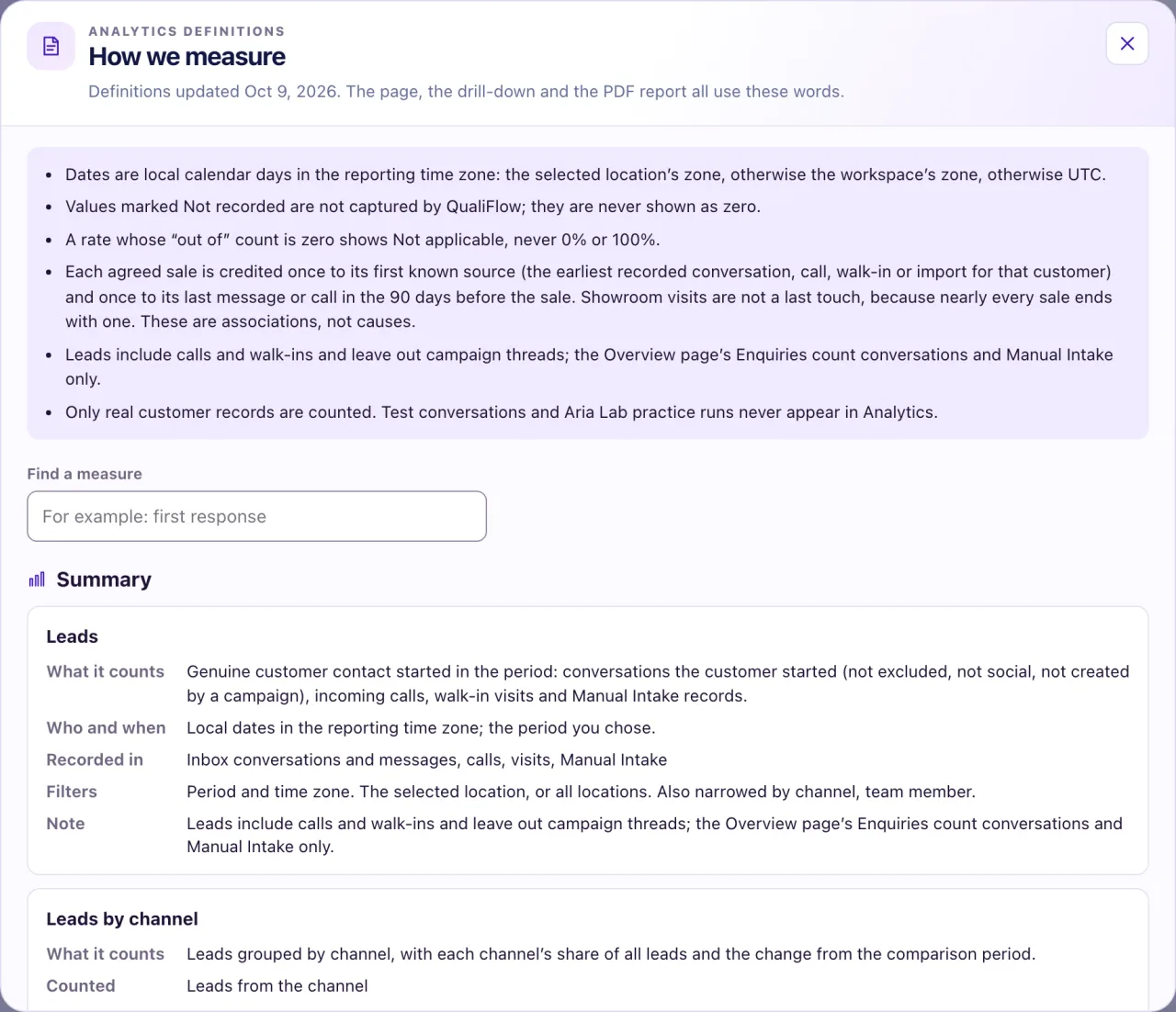
How to use it
- Check the Period, Compare and the location switch (This location or All locations) at the top of Analytics.
- Look at the filter chips. A chip marked "· not used on this tab" doesn't change that tab. Select Reset to go back to the defaults.
- Look for a "Not narrowed by …" note on a tile or chart: that measure ignores the filter you set.
- Select the info button on a tile ("How … is measured"), or How we measure at the bottom of the page, for the exact definition.
- Select View records to see the records behind the number.
- Check the footer: it says which time zone the days use.
What the data means
| Measure | What it counts |
|---|---|
| Leads | Conversations the customer started (not excluded, social or campaign-started), calls, walk-ins and Manual Intake |
| People | The distinct customers behind those leads. Someone who wrote and then called counts once |
| First response time | From the customer's first message to the first reply after it. Calls, walk-ins and Manual Intake are Not applicable |
| Appointments booked | Bookings committed in QualiFlow's calendar, by Aria or your team |
| Attended visits | Visits someone recorded as attended. Attendance is never assumed |
The Overview's Inquiries and the detail-measures CSV count inquiries, not Leads, so their totals differ. Got a reply on Summary means you or Aria replied, not the customer. A Staff member with Analytics view sees only their own locations, so their figures can be smaller than an Owner's.
Possible issues and fixes
Analytics shows fewer Leads than the Overview shows Inquiries
Symptom: For example 40 Leads in Analytics but 52 Inquiries on the Overview.
Why: Leads leave out excluded, social, campaign-started and dealership-started conversations, and add calls and walk-ins.
Fix: Nothing is wrong. On Channels, open Not counted as leads to see what was left out.
How to check: Leads plus the conversations not counted roughly match the inquiries for the same days.
Appointments booked is 0, but customers ask for visits
Symptom: Appointments booked and "Booked a visit" are 0.
Why: Aria has no booking resources, so she passes visit requests to your team. Or bookings on Ask first are still waiting for Approve and Confirm execution. Aria Lab tests and recorded walk-ins never count as bookings.
Fix: An Owner checks the opening hours and Settings → Booking, and approves waiting bookings in Visits or My Work → Needs attention.
How to check: After a real booking is confirmed, Appointments booked rises by one and it shows in Visits.
First response time is very long
Symptom: First response time is hours, not minutes.
Why: Aria wasn't answering (switch Off, paused, or the channel not assigned), her replies waited for approval on Ask first, or the customer was waiting for a person.
Fix: Check the Aria card on the Overview, approve or dismiss drafts in the Inbox, and answer customers under Awaiting staff.
How to check: New leads get a first reply soon after they write.
A tile says "Previous period only partly recorded"
Symptom: No percentage change shows, only this label.
Why: Your workspace started recording during the comparison period, so a percentage would mislead.
Fix: Nothing to do. Choose a later period to compare like for like.
How to check: A period that starts after your first recorded activity shows a percentage.
A channel I connected is missing, or says "First activity this period"
Symptom: A connected channel has no row, or shows "First activity this period".
Why: Nothing was recorded on it in the period, or it was connected recently.
Fix: Check Settings → Connections for Reconnect and send a test message to that channel.
How to check: The channel appears under Channel by channel once it has activity.
