
What it is
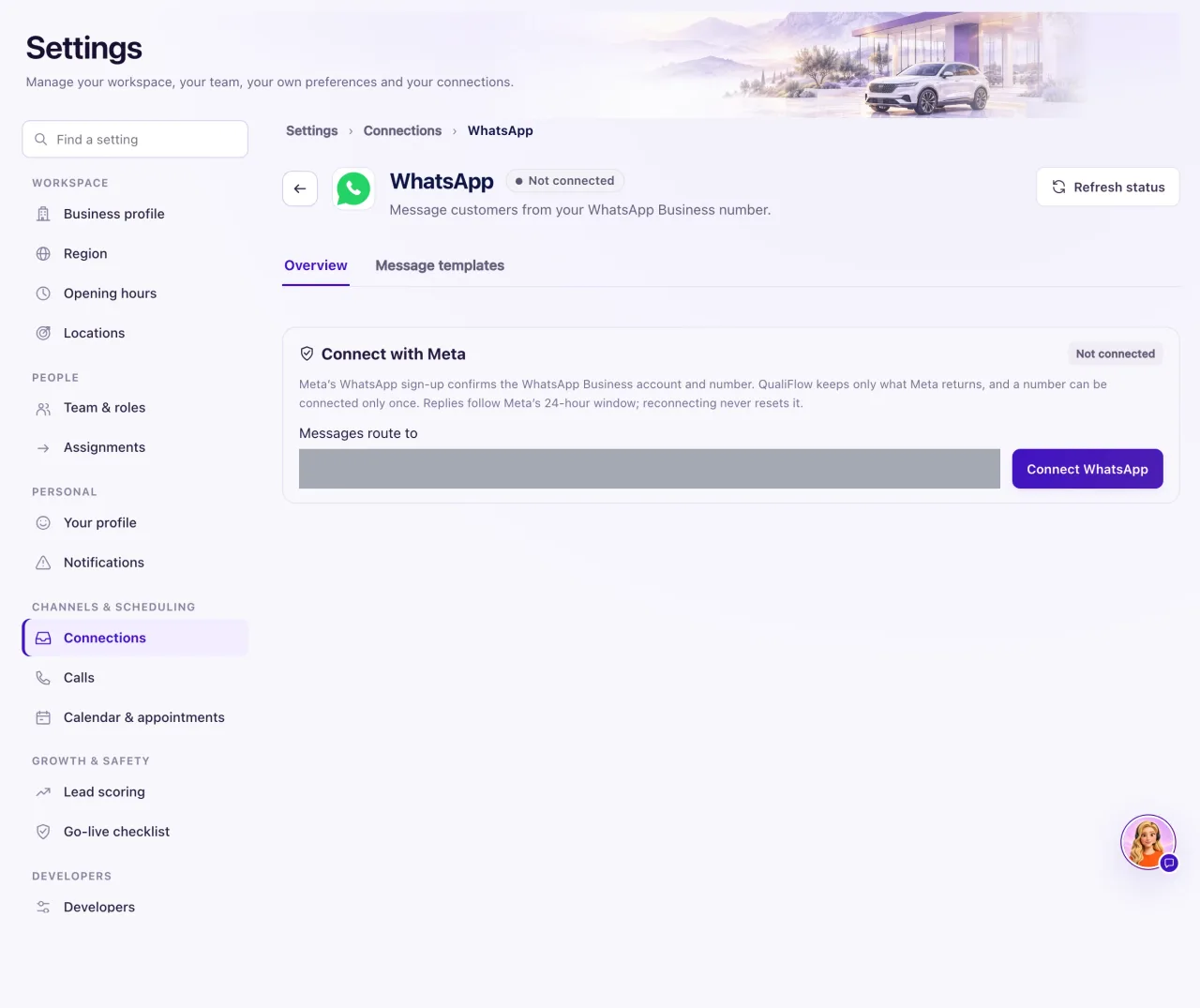
The WhatsApp tile connects your dealership's WhatsApp Business number. Customers' WhatsApp messages then arrive in the Inbox, and your team and Aria can answer them there. You need a WhatsApp Business account in Meta. Only an Owner can connect it.
How to use it
- Go to Settings → Connections and select the WhatsApp tile.
- Choose the location in Messages route to.
- Select Connect WhatsApp. Meta's WhatsApp sign-up window opens.
- In Meta's window, choose your WhatsApp Business account and number, and finish every step.
- Back in QualiFlow, the page says "WhatsApp connected."
- Open the Message templates tab and select Sync from Meta so your approved templates are ready.
- Send a WhatsApp message to the number from a personal phone and check the Inbox.
What the data means
The connected page shows the WhatsApp number, Messages route to and Access granted, and a What happens next line that says whether new messages will appear in the Inbox.
A number can be connected only once. Meta's sign-up confirms the WhatsApp Business account and number, and QualiFlow keeps only what Meta returns.
Possible issues and fixes
"WhatsApp sign-up was not finished in Meta's window"
Symptom: You see "WhatsApp sign-up was not finished in Meta's window. Nothing was connected."
Why: Meta's window was closed before the last step.
Fix: Select Connect WhatsApp again and finish every step in Meta's window.
How to check: The page says "WhatsApp connected."
"This WhatsApp number is already connected another way"
Symptom: WhatsApp was not connected, with "A number can be connected only once."
Why: The number is already connected in QualiFlow, for example through another workspace or another setup.
Fix: Disconnect it where it is connected first, or create a ticket in Support if you don't know where.
How to check: Connecting finishes and the tile reads Connected.
"WhatsApp sign-up could not open"
Symptom: "WhatsApp sign-up could not open: this page does not yet allow Meta's sign-up window."
Why: QualiFlow has not enabled Meta's WhatsApp sign-up for your workspace.
Fix: Create a ticket in Support with the category Connections and channels.
How to check: Connect WhatsApp opens Meta's window.
Aria can't reply on WhatsApp
Symptom: A reply fails because "more than 24 hours passed since the customer's last message".
Why: Outside WhatsApp's 24-hour window only a template that Meta approved can be sent.
Fix: See "Meta's 24-hour reply window" to send an approved template.
How to check: The template sends and shows under the message.
