
What it is
Meta (Facebook, Instagram and WhatsApp) sometimes stops accepting QualiFlow's saved access: someone removed QualiFlow's permission on Facebook's side, the access ran out, or an automatic renewal failed. The tile then reads Reconnect needed or Access removed in Meta, and replies on that channel stop until you reconnect. Nothing is lost on QualiFlow's side.
How to use it
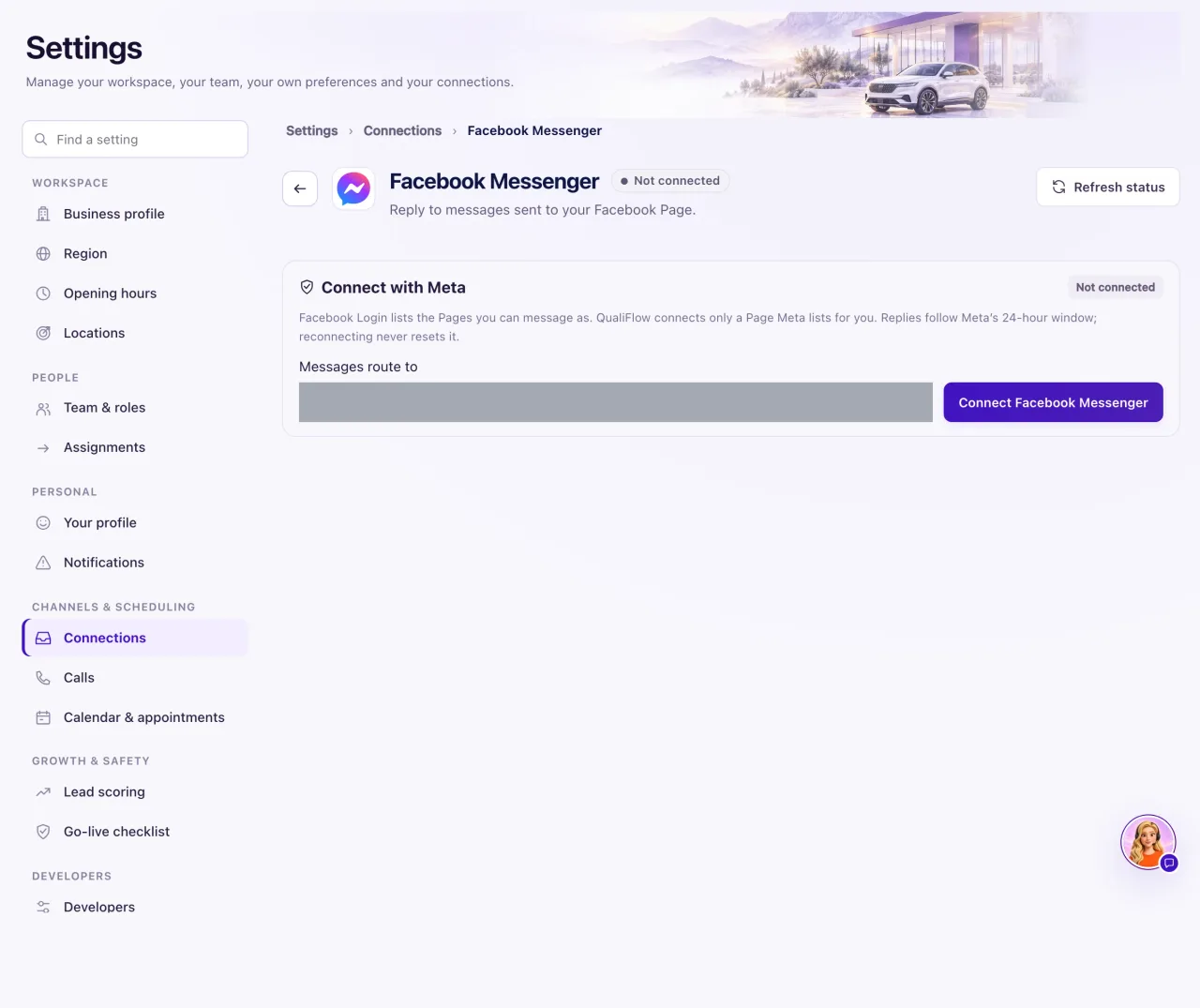
- Go to Settings → Connections and open the tile that needs reconnecting.
- Select Reconnect.
- Check Messages route to, then sign in to Facebook with a login that can message as the Page. Keep every permission ticked.
- Choose the same Page. For Messenger with Instagram, keep Also connect Instagram ticked.
- Read what QualiFlow reports about your conversations.
- Send a test message from a personal account and check the Inbox.
What the data means
After a reconnect, QualiFlow tells you three things: conversations are kept with their notes and history; replies that were stopped by the disconnect were not sent; and messages customers sent while you were disconnected can't be recovered from Meta.
While a channel needs reconnecting, replies fail with "Meta no longer accepts QualiFlow's access to this Page or account; reconnect it in Settings → Connections".
Possible issues and fixes
Reconnecting stops with "QualiFlow is still setting up this Meta channel"
Symptom: "…was not connected. QualiFlow is still setting up this Meta channel, so nothing was connected." Or a similar message about QualiFlow updating its Meta connection or setting up secure storage.
Why: Something on QualiFlow's side is not ready.
Fix: Create a ticket in Support with the category Connections and channels.
How to check: Reconnecting finishes and the tile reads Connected.
"Meta did not confirm" or "Meta did not answer"
Symptom: "Meta did not confirm the authorization", "Meta did not confirm message delivery to QualiFlow", "Meta's answer could not be read" or "Meta did not answer".
Why: Meta didn't finish its part of the sign-in this time.
Fix: Wait a few minutes and select Reconnect again. If it repeats, create a ticket and quote the message.
How to check: The panel says the channel reconnected and earlier conversations are attached again.
"Choose a Page Meta listed for this authorization"
Symptom: QualiFlow refuses the Page you picked.
Why: That Page wasn't on the list Meta returned for your login.
Fix: Pick a Page that is not greyed out, or ask the Page's admin to give your login full access.
How to check: The chosen Page connects.
WhatsApp: "Meta does not list that phone number"
Symptom: "Meta does not list that phone number on the selected WhatsApp Business account", or "Meta did not grant access to that WhatsApp Business account."
Why: The number isn't on the account you ticked, or the account wasn't ticked in Meta's window.
Fix: Check the number in Meta's WhatsApp Manager, then start again and select the right account.
How to check: The WhatsApp tile reads Connected.
