
What it is
Ownership shows "the vehicles your customers own, from each recorded delivery." Each record holds the purchase type, lender, agreement dates, lease maturity and delivery facts that the ownership check-ins (cash, finance and lease) and service work plan from.
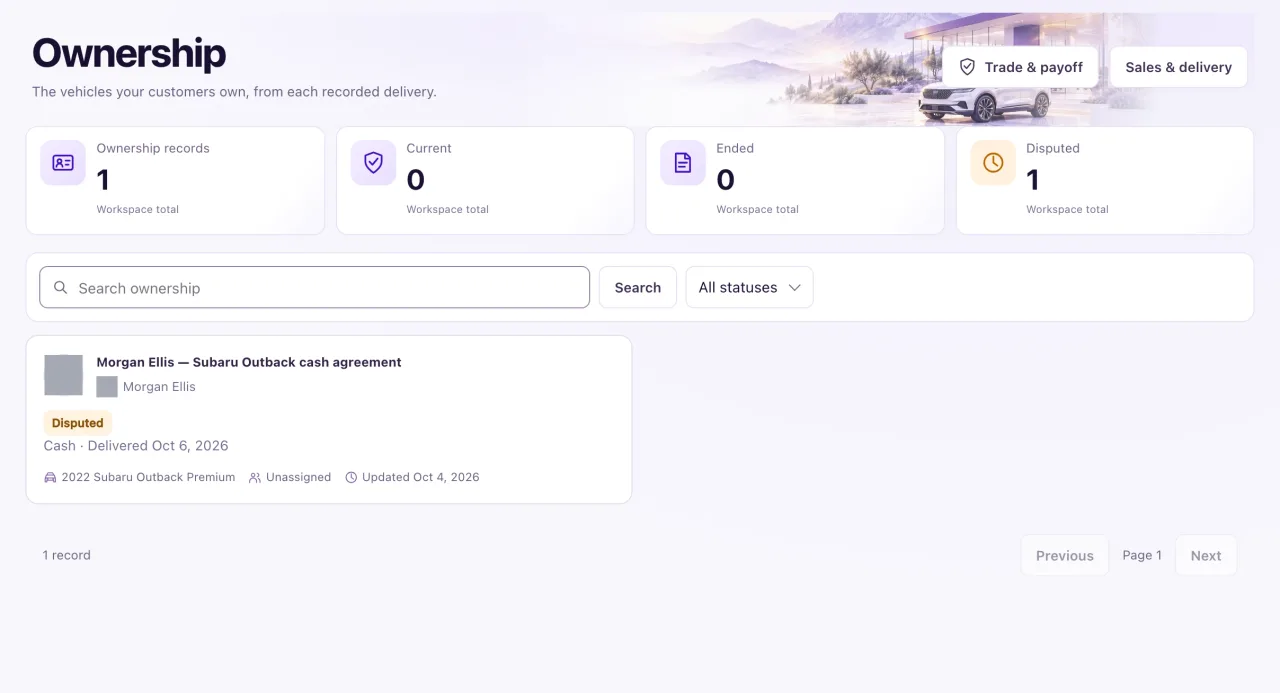
There is no create button on purpose: an ownership begins only when an Owner selects Record delivery on a sale. The header has Trade & payoff and Sales & delivery. Owners edit records; Staff with Sales & delivery access can read them. Nora can check ownership facts (status, delivery evidence, source, dates and linked sale, contact or vehicle) from the Ask Nora button; she does not create ownership.
How to use it
- Select Ownership in the sidebar, then search or pick a status (Current, Ended, Disputed).
- Select a record to open its panel: details, connected vehicle, opportunity and sale, and related work.
- Select Create service request to start a service request with the customer and vehicle filled in, or Record commitment for a promised follow-up.
- To correct a record, select Edit ownership. Changing the status away from Current needs a reason, and Ended needs an end date.
- To fix a wrong delivery date, correct Actual delivery date here, with evidence and a reason.
- To verify a delivery later, open Retention evidence, fill in Verified delivery evidence (for a lease also Verified contractual maturity evidence), set Source to Verified with the verification evidence, and save.
What the data means
| Status | What it means |
|---|---|
| Current | The customer has the vehicle |
| Ended | The ownership is over, with a reason and an end date |
| Disputed | Possession is unclear; the car can't be sold again until it's settled |
Agreement state: Active (a finance or lease agreement in force), Not applicable (cash), Ended, or Bought out (a lease the customer bought out). Ended and Bought out stop the ownership check-ins. Keep the original Purchase type when a lease is bought out.
The ownership check-ins start only when the record is Current, its source is Verified with evidence, it has an Actual delivery date and Verified delivery evidence, and the agreement state is Active or Not applicable. Recording the delivery with a Verified source meets all of these at once.
Possible issues and fixes
There is no button to create an ownership
Symptom: You can't find a create button on Ownership.
Why: An ownership begins only with Record delivery on a sale, so every ownership has an evidenced delivery.
Fix: Open Sales & delivery, open the agreed sale and select Record delivery. Record the sale first if it isn't there.
How to check: The ownership appears with the status Current.
The ownership check-ins or the lease reminder didn't start
Symptom: The customer is not in the ownership journey's Activity tab.
Why: Most often the delivery was saved as Staff-recorded, or Verified delivery evidence is empty. A lease also needs the contractual maturity date and Verified contractual maturity evidence. A replacement step needs the customer's own words about replacing the vehicle.
Fix: Select Edit ownership, fill in the evidence and set Source to Verified, then save.
How to check: The customer shows in the journey's Activity tab on Journeys.
Edit ownership refuses to save
Symptom: "Record the ownership change reason.", "Record the actual ownership end date." or "Only a lease agreement can be bought out."
Why: Status and agreement changes need a reason, Ended needs an end date, and Bought out is for leases only. Review consent needs the verified delivery first and can't be dated before it.
Fix: Fill in the field named in the message and save again.
How to check: The record saves and History shows the change.
We ended or disputed an ownership and now the car can't be sold
Symptom: The car shows Needs availability review in Inventory.
Why: Ending or disputing the ownership of a delivered sale takes the car out of stock until an Owner confirms it.
Fix: When possession is settled, open the car in Inventory and select Confirm availability.
How to check: You can record a new sale for the car.
