
What it is
Meta lets a business reply on Facebook Messenger, Instagram and WhatsApp only within 24 hours of the customer's last message. This is Meta's rule, so it applies to your team and to Aria alike, and reconnecting a channel never resets it.
- Messenger and Instagram: after 24 hours, no reply can be sent until the customer writes again.
- WhatsApp: after 24 hours, you can send a template that Meta approved. Templates are created and approved in Meta's WhatsApp Manager; QualiFlow only reads them.
How to use it
- Create your WhatsApp templates in Meta's WhatsApp Manager and wait until Meta approves them.
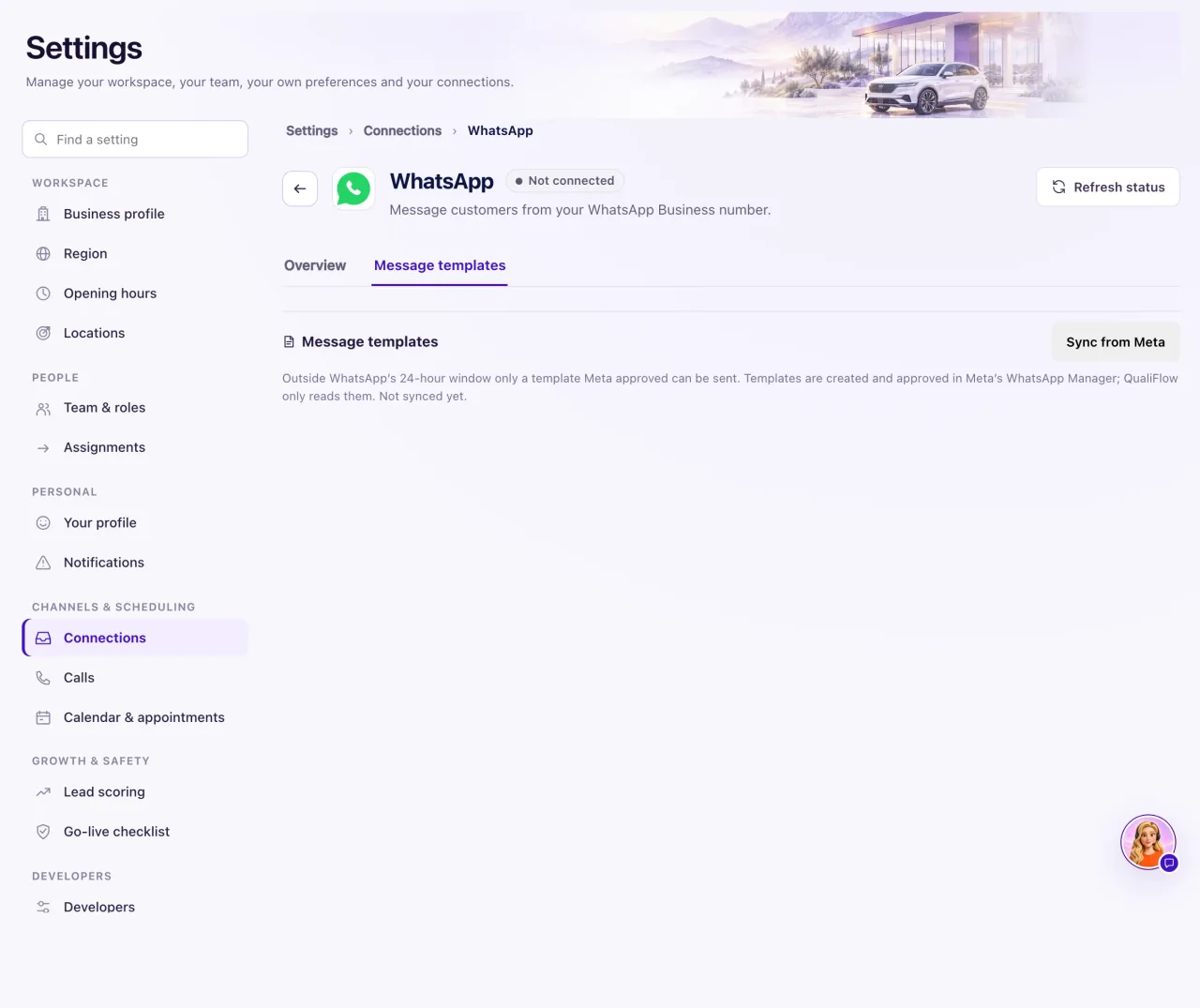
- In QualiFlow, the Owner opens Settings → Connections → WhatsApp and the Message templates tab.
- Select Sync from Meta. The approved templates appear in the list.
- When a WhatsApp conversation is outside the window, open it in the Inbox. It says "Choose an approved template below."
- Choose a template in WhatsApp template, fill in any fields, and check What the customer will read.
- Select Send template. It sends by WhatsApp, takes over the conversation, and the delivery shows under the message.
What the data means
A reply sent too late is marked Not sent or Failed with "more than 24 hours passed since the customer's last message, so the customer must message again" (Messenger and Instagram) or "…so WhatsApp needs an approved template" (WhatsApp).
An Aria draft waiting for approval after the window closed says "The channel's reply window has closed, so this draft can no longer be approved. Write a new reply instead."
Only the Owner can send a WhatsApp template. Staff see "Only the workspace Owner can send WhatsApp templates."
Possible issues and fixes
I can't reply on Messenger or Instagram
Symptom: The reply box says the reply window has closed, or a reply shows Not sent.
Why: More than 24 hours passed since the customer's last message.
Fix: Wait for the customer to write again, or contact them another way you have permission to use, such as a text or email.
How to check: After the customer writes again, your reply sends.
No templates to choose from
Symptom: The conversation says "No approved templates are saved for this WhatsApp number yet."
Why: No template was synced, or Meta hasn't approved any yet.
Fix: Check the template's status in Meta's WhatsApp Manager. When it is approved, the Owner selects Sync from Meta on the Message templates tab.
How to check: The template appears in the synced list and in the conversation's Template menu.
Aria didn't answer an old conversation
Symptom: A customer wrote days ago and Aria never replied.
Why: Aria follows the same 24-hour rule and never sends outside it.
Fix: On WhatsApp, send an approved template. On Messenger or Instagram, wait for the customer or reach them another way.
How to check: The template shows as sent, or Aria answers the customer's next message.
