
What it is
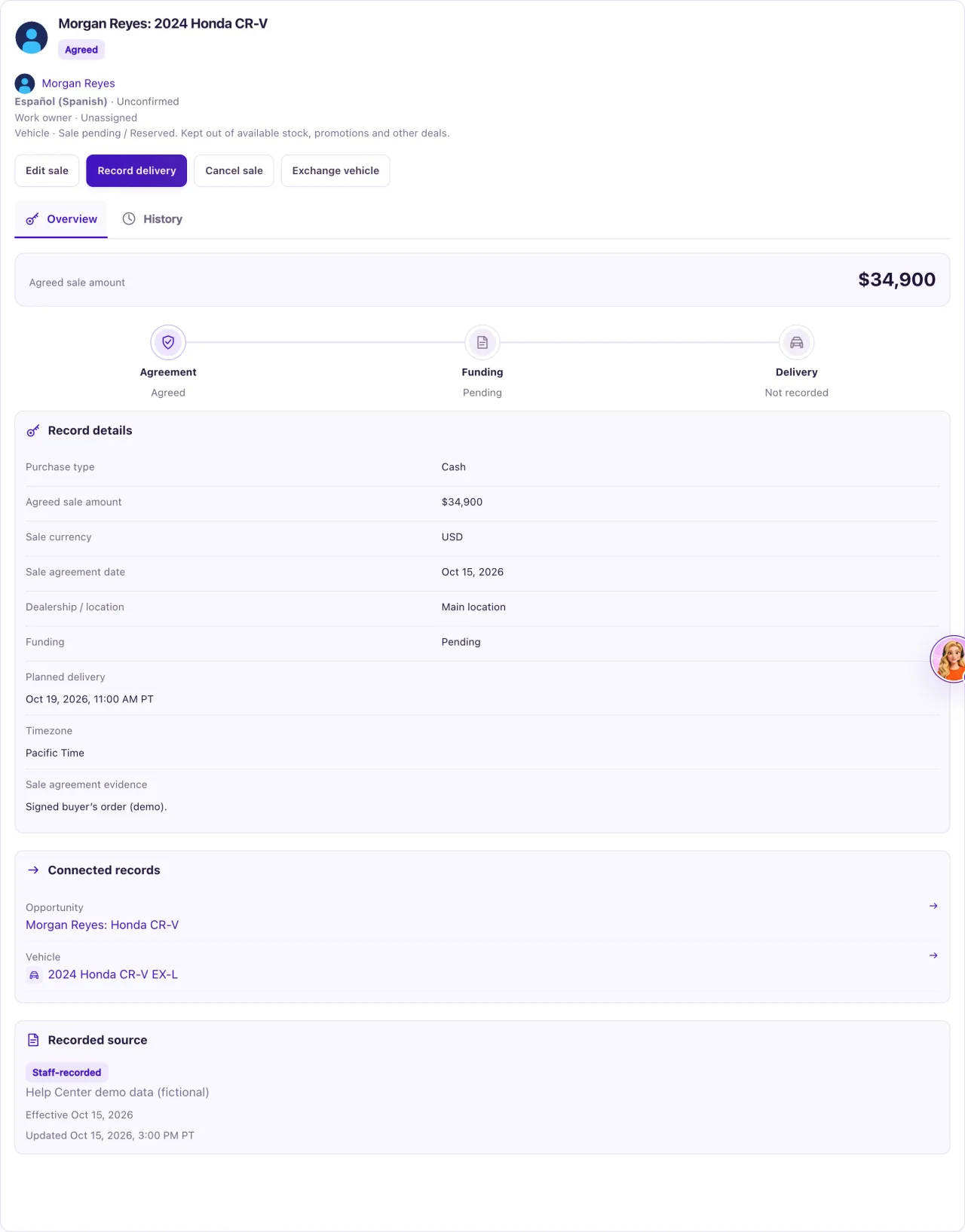
A recorded sale is a fact in the customer's history, so it is never deleted. When a deal changes, you record what really happened:
- Cancel sale: the deal ended before delivery.
- Record reversal: the deal ended after delivery, and you record whether the vehicle came back.
- Exchange vehicle: before delivery, the customer agreed to a different vehicle.
- Entered in error: a cancellation, reversal or delivery was recorded by mistake.
These actions are on the sale's saved record (View saved details & actions). Only Owners can use them.
How to use it
- Open the sale on Sales & delivery and select View saved details & actions.
- Before delivery: select Cancel sale, enter the Actual effective date (not before the agreement, not in the future), the Evidence and reason and a source, then select Confirm cancellation. Back leaves without cancelling.
- After delivery: select Record reversal, enter the date, choose the Recorded possession (Vehicle returned, Customer retains vehicle or Unknown / disputed) and the evidence, and save.
- For a different car before delivery: select Exchange vehicle, choose the Replacement vehicle, record the Customer approval and reason and a Source reference, then Record exchange.
- Open the opportunity and move it to its real stage, for example Working deal, Nurture or Lost.
- Open the car in Inventory and select Confirm availability so it can be sold or booked again.
- If the cancellation, reversal or delivery itself was the mistake, select Entered in error instead, read what will be restored, and confirm with your reason.
What the data means
| Sale status | What it means |
|---|---|
| Agreed | The sale is in force. Every new sale starts here |
| Cancelled | Ended before delivery |
| Reversed | Ended after delivery: the car came back, or possession is disputed |
After a cancellation or reversal the opportunity stays Won with the flag "Review needed: Sale cancelled/reversed; explicitly reconcile opportunity outcome.", and the car shows Needs availability review until an Owner confirms it. A reversal also ends the ownership (Ended when the vehicle was returned, Disputed otherwise).
An exchange cancels the first sale and creates a new sale "Exchange: vehicle" on the same opportunity with the same terms. Funding that was Approved, Funded or Failed goes back to Pending, so confirm the price, funding and delivery date with the customer.
Possible issues and fixes
Cancel sale is refused after delivery
Symptom: "Delivery exists. Use Record reversal with possession evidence."
Why: Once the customer has the car, the deal can only be reversed, with what happened to the car.
Fix: Select Record reversal and choose the Recorded possession.
How to check: The sale shows Reversed.
I cancelled a sale but the car can't be sold or booked
Symptom: The car stays out of stock with Needs availability review.
Why: QualiFlow waits for an Owner to confirm where the car is and that nothing else holds it.
Fix: In Inventory, open the car, select Confirm availability, say where it is, choose the availability, tick "No other hold or deal applies to this vehicle" and give the evidence. Then move the opportunity to its real stage.
How to check: The car shows Availability confirmed and can take a new sale.
Entered in error is refused
Symptom: You can't mark the change as entered in error.
Why: Something has happened since: the car was sold again or its availability confirmed, the opportunity moved, or a journey already sent a message from the ownership.
Fix: Record a new sale if the deal goes ahead, or record a reversal instead.
How to check: The sale's history shows the new record.
I want to delete a sale entered by mistake
Symptom: There is no delete button.
Why: Sales are never deleted; every history entry stays.
Fix: Cancel it (before delivery) or record a reversal (after delivery), then fix the opportunity and the car.
How to check: The sale shows Cancelled or Reversed and the car is released for review.
