
What it is
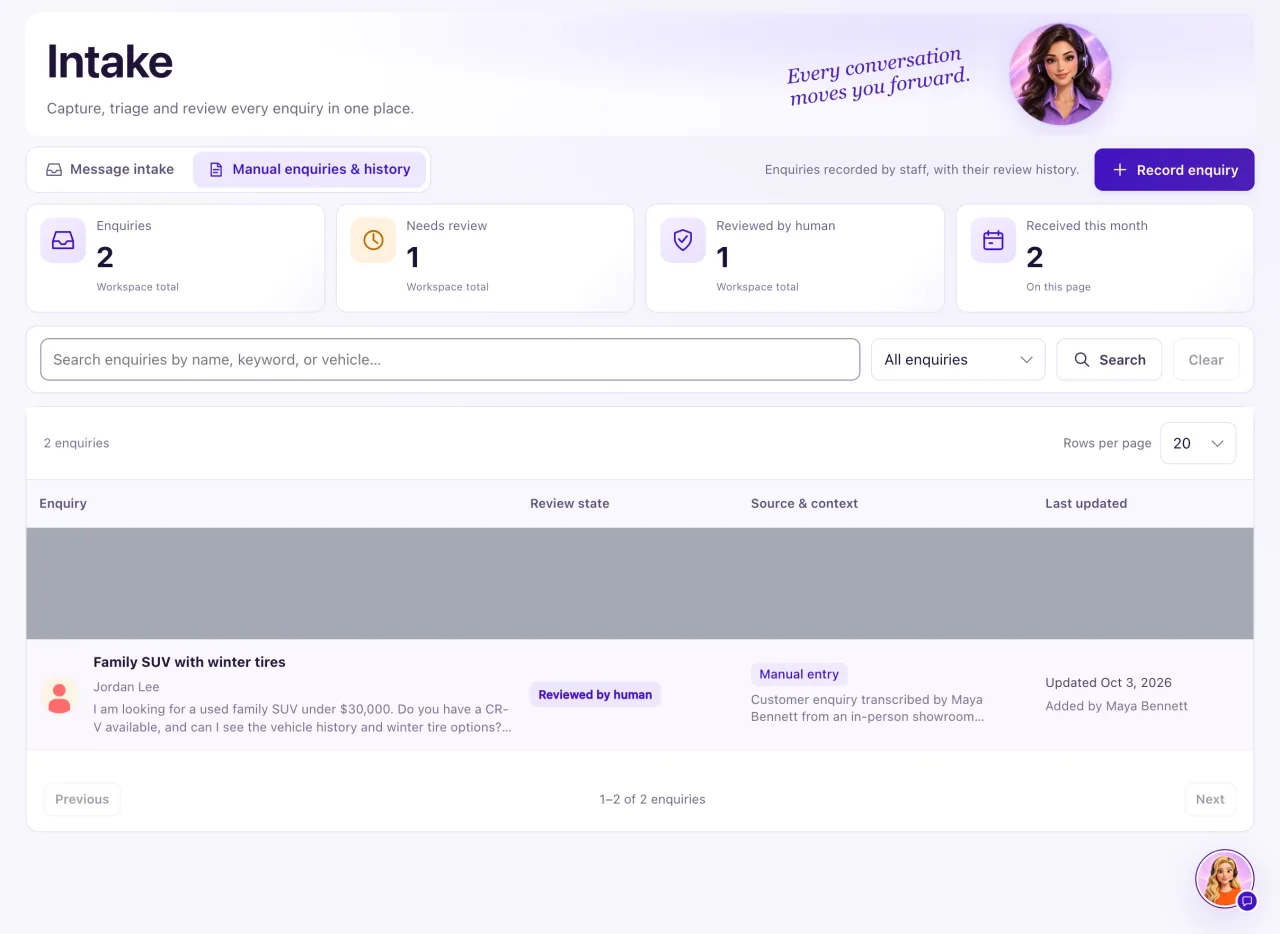
Manual inquiries & history is the second view of Intake. It keeps inquiries your team recorded by hand, such as a walk-in or a phone call, with their review history. A manual inquiry is a record for your team. It is not a conversation, and it sends nothing to the customer. Only Owners can open it.
How to use it
- Open CRM → Intake and select Manual inquiries & history.
- Select Record inquiry.
- Fill in Sender name (optional), Email, Phone, a Subject and the Inquiry text (required). Add a Source description such as "Walk-in, Saturday". Don't enter passwords or payment details.
- Select Save inquiry. The saved original can't be edited later.
- To find an inquiry, search by name, keyword or vehicle, or filter by Needs review or Reviewed by human.
- Open an inquiry and go to Timeline. Choose the Action: Add review note, Mark reviewed by human (needs a review note) or Return to Needs review (needs a reason).
- To contact the customer, add or open them in Contacts and message them from there.
What the data means
| Card | What it counts |
|---|---|
| Inquiries | Every manual inquiry in the workspace |
| Needs review | Inquiries no one has reviewed yet |
| Reviewed by human | Inquiries someone marked reviewed |
| Received this month | Inquiries on the current page received this month, in the workspace time zone, like the displayed dates |
Limits: Subject up to 200 characters, Inquiry up to 5,000, Source description up to 1,000. Review notes are internal and can't be edited or deleted.
Possible issues and fixes
I can't change what I recorded, or Mark reviewed won't save
Symptom: You can't edit an inquiry, or marking it reviewed is refused.
Why: The saved original can never be edited. Mark reviewed by human needs a review note, and Return to Needs review needs a reason.
Fix: In Timeline, use Add review note for later context. Write the note before choosing Mark reviewed by human, or the reason before Return to Needs review.
How to check: The Review state changes and the entry shows in Timeline.
I recorded an inquiry, but nobody contacted the customer
Symptom: The inquiry is saved, but the customer heard nothing.
Why: Recording an inquiry, or marking it reviewed, sends nothing and doesn't give permission to contact the person.
Fix: Add or open the person in Contacts, then message them from their Conversations tab, or give Aria a note on their profile. Both still check permission and opt-outs. Write what you did in a review note.
How to check: The contact's conversation shows your message, and the inquiry's Timeline has your note.
Staff can't open manual inquiries
Symptom: A Staff member doesn't see Intake in the sidebar.
Why: Intake, including manual inquiries, is for Owners only.
Fix: An Owner records the inquiry, or the Staff member adds the person in Contacts if they have access there.
How to check: The inquiry shows under Manual inquiries & history for the Owner.
