
What it is
When a conversation waits in Intake, it carries a reason: on its badge in the list and, when you open it, under Context → Intake review. The reason tells you whether it is a real customer who needs moving, or something that should stay out of the Inbox.
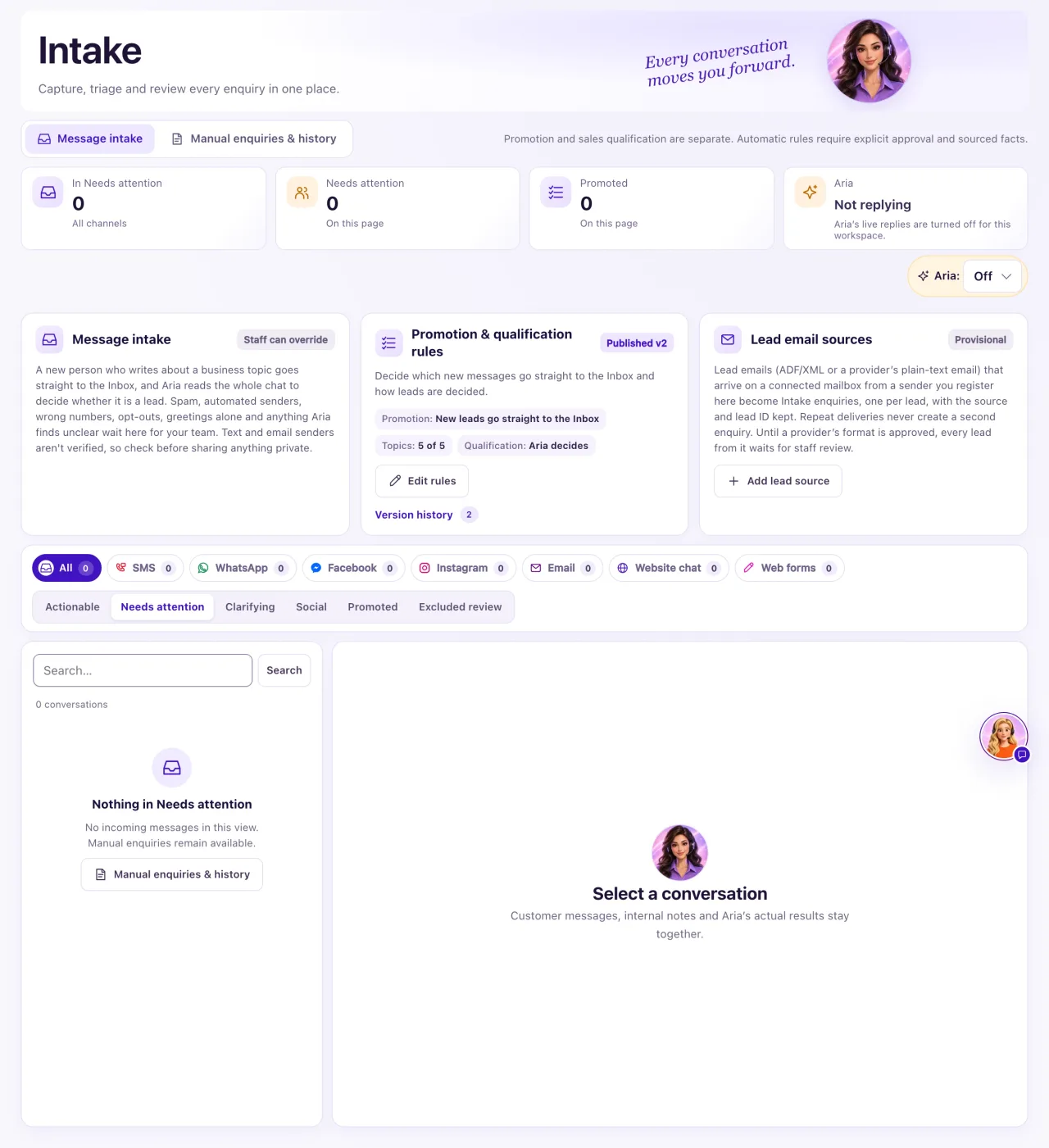
How to use it
- Open CRM → Intake and select the conversation.
- Read the reason on its badge. Select the lead decision chip under the name for the decision, the customer's words and the buttons.
- Find the reason in the tables below.
- If it is a real customer, select Move to Inbox. It sits in the lead decision chip's panel, or in the ⋯ menu when nothing is decided yet.
- To attach the chat to the right person, select Review & link or create Contact on the Identity evidence card.
- If the same reason keeps trapping real customers, change your rules (see "Intake rules and Aria's lead decision").
Only chats that still need a person wait here: an unknown sender waiting for a decision, a possible duplicate Contact, or a held or blocked chat. Once a chat is in the Inbox it is no longer waiting in Intake, so it has no waiting reason; you can still find it under Promoted.
What the data means
The customer hasn't said much yet
| Reason | What to do |
|---|---|
| New conversation (greeting only), Greeting only | Nothing yet. When they say what they want, it moves by itself. Or Move to Inbox |
| Social message | Thanks or small talk. Nothing, unless it is a real customer |
| Topic needs review, Business message needs review | The topic wasn't clear or is switched off in your rules. Move to Inbox if it is real |
| Customer asked for a person | Move to Inbox, take over and reply |
| Phone call needs review | A new caller Aria answered. Read the call, then Move to Inbox or Not a lead |
Existing contacts skip this review. When the person is already a contact, or Aria booked an appointment or handed the conversation to your team, it goes straight to the Inbox with a lead decision. The record of a call Aria answered ("Phone call answered by Aria…") is QualiFlow's own note about the call, so it never counts as the customer's words.
Your rules hold it
| Reason | What to do |
|---|---|
| Staff review required | Your rules hold everyone. Set Promotion to New leads go straight to the Inbox (recommended) |
| Needs a verified sender match | Texts and emails never count as verified. Change Promotion as above |
| No promotion rules published | Edit rules, then Publish rules |
| Aria: unclear, needs a person | Read it, then Move to Inbox or Not a lead |
| Aria: not a lead | If she is wrong, Move to Inbox. Your choice stays |
Probably not a customer
| Reason | What to do |
|---|---|
| Automated sender needs review, business mail such as invoices or job applications | If it is a real person, Move to Inbox |
| Forwarded lead needs review | Link the real customer with Review & link or create Contact |
| Customer opted out, Wrong number, Sender is restricted | Leave it. Don't message them |
| Identity link conflict | Use Undo identity link if the current link is wrong, then link again |
Possible issues and fixes
The same reason keeps holding real customers
Symptom: Many real customers wait with Staff review required, Needs a verified sender match or Topic needs review.
Why: Your rules hold them, or a topic is switched off.
Fix: Open Edit rules, set Promotion to New leads go straight to the Inbox (recommended), tick the topics you want and select Publish rules. Move the chats already waiting with Move to Inbox.
How to check: The next new customer lands in the Inbox with the reason "New lead: business topic".
I moved a chat but it came back to Intake
Symptom: A chat you expected in the Inbox is in Intake again.
Why: An Owner selected Back to Intake, which shows as Staff kept it in Intake. Neither the rules nor Aria undo a staff choice.
Fix: Select Move to Inbox if it should be in the Inbox.
How to check: The lead decision chip reads Staff: moved to Inbox.
