
What it is
SMS & calls is where an Owner sets up texting and calling on the dealership's own phone numbers. Open it from Settings → Connections, in the Calls group. Its left menu has Overview, Phone numbers, Business registration, Usage and Settings.
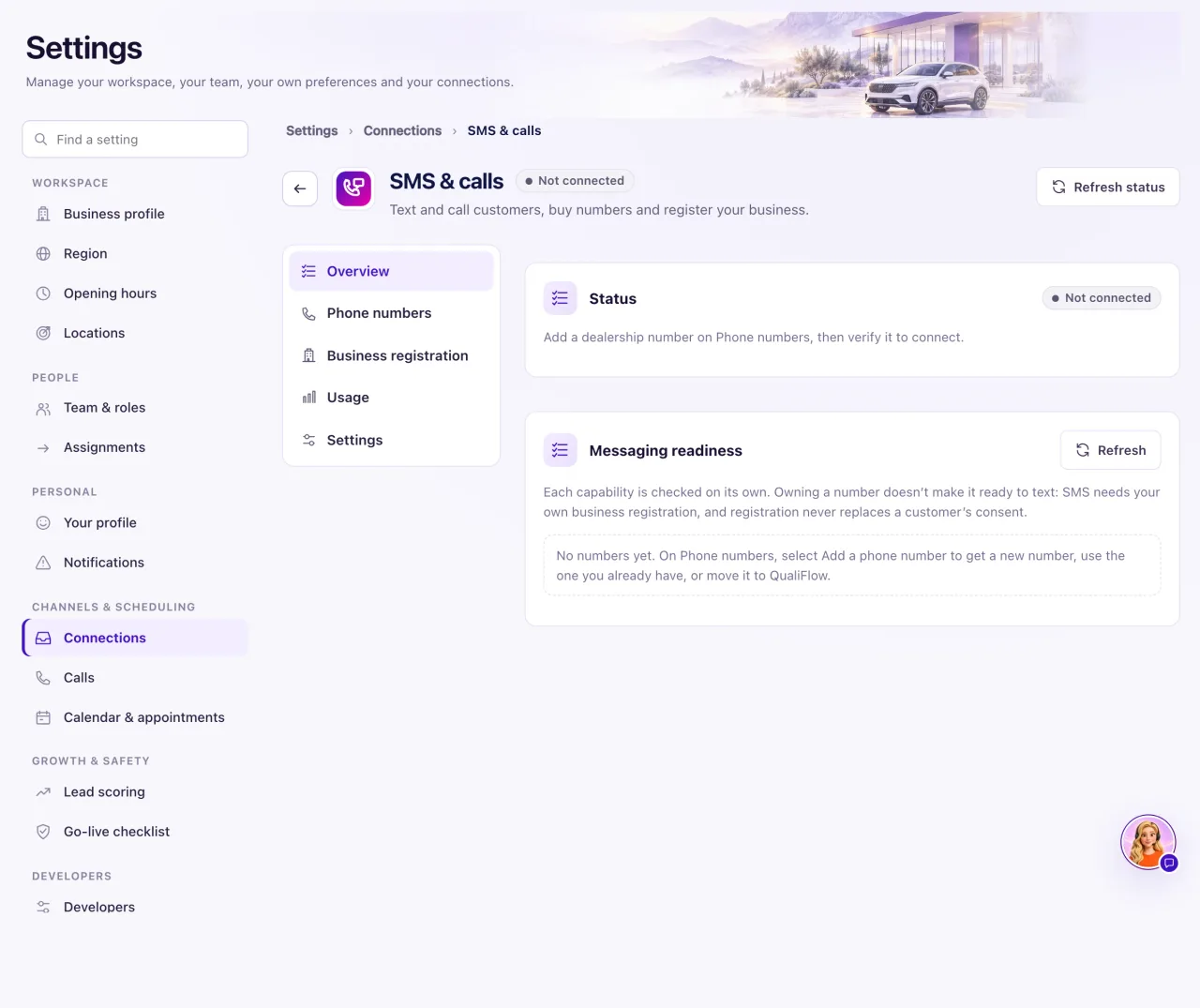
Only the workspace Owner can manage phone numbers. Other people see "Only the workspace Owner can manage phone numbers."
Owning a number doesn't make it ready to text. Incoming texts and calls work as soon as a number is Verified. Texts you send need your business registration approved by US carriers, and a customer's permission when they haven't texted you first.
Aria answers incoming calls on your numbers. QualiFlow doesn't place calls for your staff: the Dialer on the Calls page shows Not connected, and your team calls from their own phones and logs the call.

How to use it
- Open Settings → Connections and choose SMS & calls.
- On a new workspace, find Turn on texting and calls on Overview and select Turn on SMS & calls. The page says "SMS & calls are on. Add or buy a dealership number next."
- Open Phone numbers and select Add a phone number. Choose Get a new number, Use my existing number or Move my whole number to QualiFlow.
- Select Edit on a number to choose the Location whose Inbox it feeds. The default is your main location.
- Open Business registration and submit your business details, so US carriers approve your numbers for texting.
- Back on Overview, read Messaging readiness. Each number lists its own checks.
- To see message and call volumes, open Usage and select Open channel analytics. It opens Analytics → Channels.
What the data means
What each thing needs. Incoming texts and calls need a number that shows Verified; a text arrives in the Inbox of the number's Location. Outgoing texts (from staff, Aria, journeys or campaigns) also need your business registration approved. A text to a customer who hasn't texted you first also needs their recorded permission. A text STOP stops texts to that number only; calls and email continue unless the customer asks not to be called. Aria answering calls needs a number with Voice, and Aria switched on and published.
The status card on Overview says "SMS & calls are connected. Each number's readiness is below." when all is well. "Add a dealership number on Phone numbers, then verify it to connect." when no number is verified yet. When SMS & calls were switched off, it says conversations and history stay: select Reconnect, then verify a number again.
Messaging readiness has one block per number, with a headline such as "Number connected — SMS registration pending." or "SMS ready." Each check (such as Brand (A2P 10DLC), Campaign (A2P 10DLC), Number registration, Toll-free verification, SMS and Voice) shows Ready, Pending, Action required, Blocked, Not started or Not applicable.
Possible issues and fixes
No incoming texts or calls at all
Symptom: Customers say they texted or called, but nothing is in the Inbox or on Calls → Incoming.
Why: The number isn't Verified, you are in another location's Inbox, or customers use a number QualiFlow doesn't handle (forwarding covers calls only).
Fix: On Phone numbers, check the number is Verified, lists SMS or Voice, and has the right Location. Check that location's Inbox and Intake. Text and call it from another phone. If nothing arrives, create a ticket in Support.
How to check: The test text is in the Inbox and the test call is on Calls → Incoming.
The Calls dialer says "Voice calling is not connected"
Symptom: On Calls → Dialer, the Voice readiness box shows Not connected.
Why: Aria answers incoming calls on your QualiFlow number, but QualiFlow doesn't place calls for staff. Nothing on your side needs fixing.
Fix: Call the customer from your own phone, then select Log a call to record the outcome. To have someone call later, select Schedule a call.
How to check: The logged call is listed on Calls → History.
The page says QualiFlow is setting up SMS & calls
Symptom: You see "QualiFlow is setting up SMS & calls", or texts and calls "are paused by QualiFlow for this workspace" with a reason.
Why: QualiFlow still has to finish its side, or paused sending for the reason shown.
Fix: There's nothing to enter. Create a ticket in Support and quote the reason.
How to check: The message is gone and Turn on SMS & calls or your numbers show on the page.
