
What it is
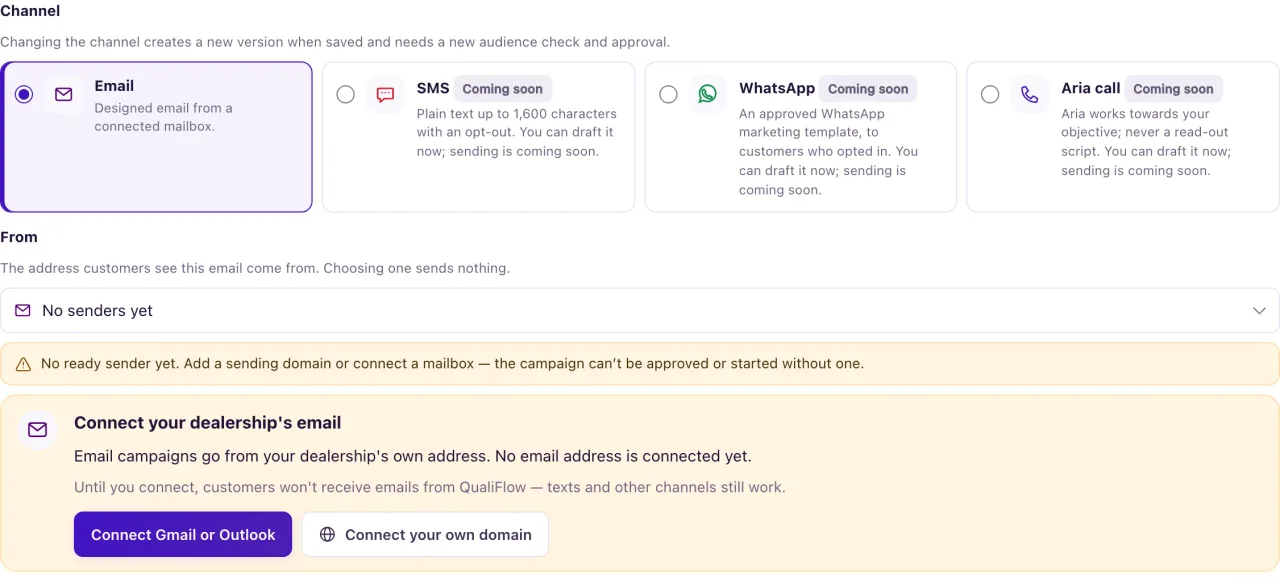
A campaign draft's Channel can be Email, SMS, WhatsApp or Aria call. Today only Email campaigns can be approved, scheduled and sent from Campaigns. The other channels are marked as not sending yet on the Channel choice and in the How campaigns are sent box.
You can still write an SMS, WhatsApp or call draft and check its audience, so you see who you could reach and why everyone else is left out. Nothing is sent from these drafts.
To contact a group by text, WhatsApp or call today, use Aria Campaigns, where your workspace has an approved campaign policy and live launch approval from QualiFlow.
How to use it
- Open Campaigns, select New campaign and choose the Channel: SMS, WhatsApp or Aria call.
- For SMS, write the Text message (up to 1,600 characters). The page counts characters and SMS segments. Select Add opt-out instruction to add "Reply STOP to opt out." Every SMS campaign must include it.
- For WhatsApp, write the WhatsApp message. A WhatsApp message a business starts needs a template approved by WhatsApp before it could be sent.
- For Aria call, write the Call objective and Notes for Aria. Aria uses them as guidance and never reads them out word for word.
- Choose the sender number and select Save draft.
- In Recipients and approval, choose people and select Check audience for SMS (or WhatsApp or Aria call) to see who could be reached.
- Keep the draft for later, or switch the channel to Email to approve and schedule it.
What the data means
For SMS, a person is clear only with recorded permission to receive marketing texts at that exact number. For WhatsApp, only with a recorded WhatsApp marketing opt-in for that exact number. Permission for service messages, or a customer who texted you first, is not enough.
People are listed under Excluded with a reason, for example: Replied STOP or asked not to be texted; Reported as a wrong number; No phone number; No recorded permission to send marketing texts to this number. Contacts without recorded marketing text permission are excluded and get no text. A number shared with another contact goes to Needs review instead, so one person never receives another's message. Call drafts list people under Needs review with "No recorded consent basis".
There is no test text for SMS drafts in Campaigns today. Email campaigns have their own test: Preview & test → Send test in the email designer sends a copy marked [Test] to your own sign-in email.
Possible issues and fixes
I can't approve or schedule my SMS campaign
Symptom: The SMS draft has no Schedule step, and approval lists blockers.
Why: Sending SMS, WhatsApp and call campaigns from Campaigns isn't switched on. The draft, its audience check and your work are kept.
Fix: Switch the Channel to Email, or reach the group by text with Aria Campaigns.
How to check: An email draft shows the Schedule step after approval.
Most of my SMS audience is excluded
Symptom: Many people show "No recorded permission to send marketing texts to this number".
Why: Marketing texts need the customer's recorded permission for that exact number.
Fix: Record permission only when the customer really gave it: open their contact page, go to Permission & outreach preferences, and record how and when they agreed.
How to check: Select Check audience for SMS again; they move to the clear count.
