
What it is
AI credits are how QualiFlow counts the AI work done for your dealership: Aria's replies, bookings, calls and campaigns, background work such as notes and follow-ups, and Nora writing customer messages for you (an email, a text, a campaign draft or its copy). Every action is counted from what it really cost, not a guess.
Nora questions are included with your plan: asking Nora questions, looking up customers, cars and lists, opening screens, picking from her lists and recording contacts, opportunities, sales, service requests, visits and tasks through her cards use no credits. Only her writing of customer messages uses credits, based on actual AI usage. A Campaign Designer draft she prepares with no customer message in it (for example a flow that only creates a task) is free too. If your credits run out, Nora still answers questions; she only stops writing customer messages until an Owner buys credits in Settings → Billing. QualiFlow still keeps a fair-use limit on Nora answers that use no credits; when a workspace reaches it, Nora answers from published help for the rest of the month, and a request to write or do something for you still works. It uses credits only when she actually writes the message or prepares the card; a request that ends with neither is not charged. The standard rate is 500 credits per $1 of real AI cost (one credit is $0.002). QualiFlow sets the rate, and Settings → Billing always shows the rate in use today. Each kind of Aria work (replies, calls, campaigns, photos, voice messages, Aria Lab tests, Knowledge indexing, summaries and follow-ups) can have its own rate; today they are all the standard rate. If QualiFlow changes a rate, the new rate applies only to new usage; credits already counted never change.
Call minutes, SMS and campaign emails are counted separately, each in its own allowance.
How to use it
- Hover over Usage in the sidebar to see how many credits are left this month.
- For the details, select Stats, or open Settings → Billing.
- Read the AI credits meter: how many you used, how many are left, and how many of those come from add-on packs.
- Look at the breakdown to see what used them (Aria, Nora, calls and so on).
- To get more, select Get more (Owners) and buy a credit pack or a custom amount, turn on auto top-up, or upgrade.
- You can also ask Nora: "How many credits do I have left?"
What the data means
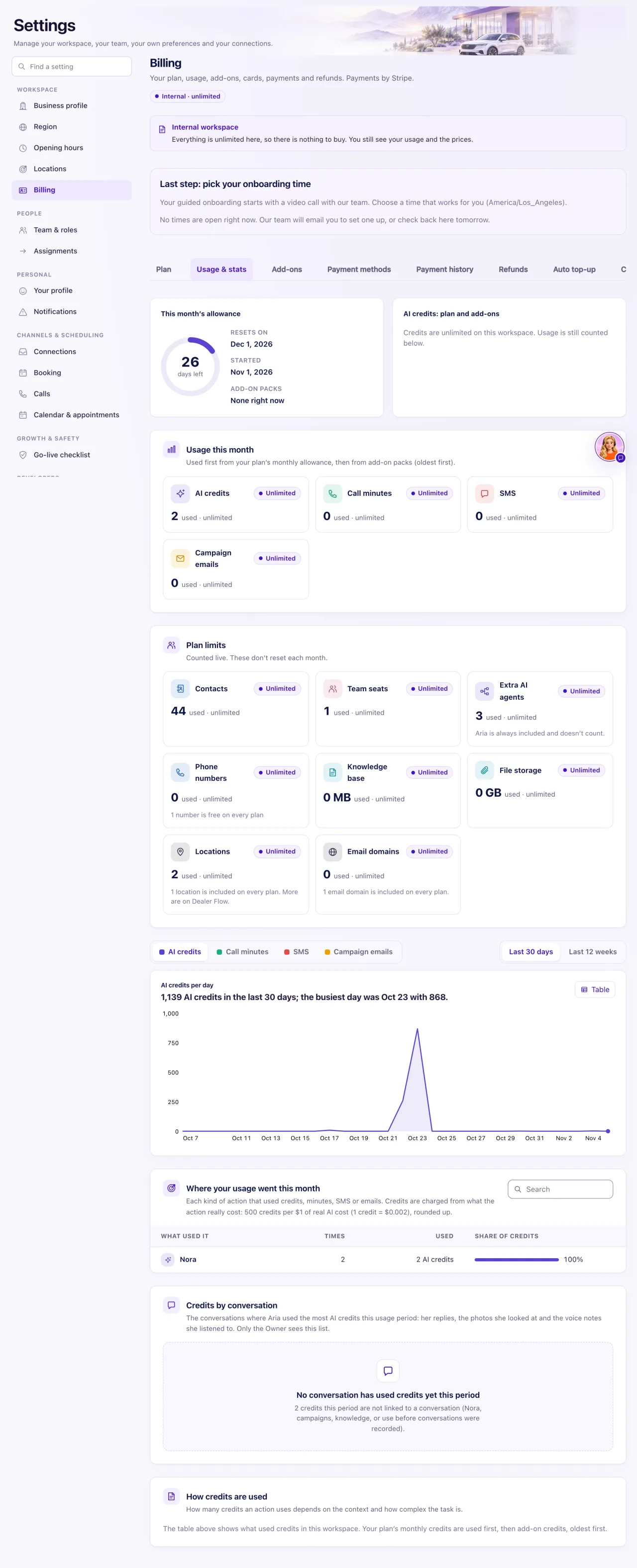
How many credits an action uses depends on the context and how complex the task is. A short reply uses fewer credits than a long conversation with stock checks and a booking, so QualiFlow doesn't publish a number of credits per action. The breakdown in Settings → Billing → Usage & stats shows what used credits in your workspace.
Order of use: your plan's monthly credits first, then add-on packs, oldest first. Plan credits reset every month and don't roll over. Add-on credits last 12 months from purchase.
Buying credits: fixed packs (5,000 for $99 up to 100,000 for $1,339) or a custom amount from $99. A custom amount buys credits at the smallest pack's price per credit, $0.0198, rounded down: $110 gives 5,555 credits. It lasts 12 months and can be refunded like a pack while less than 30% is used.
Auto top-up: when it is on, QualiFlow picks the best amount for your plan and recent use, for credits, call minutes and SMS. You can choose your own pack instead. Going over your plan's call minutes or SMS is never charged.
Possible issues and fixes
Aria stopped replying and says credits ran out
Symptom: The autopilot switch says "Credits ran out — upgrade or add credits" and conversations go to your team.
Why: This month's plan credits and every add-on pack are used up.
Fix: An Owner buys a credit pack or a custom amount in Settings → Billing, or upgrades the plan. Turn on auto top-up so it doesn't happen again.
How to check: Within a few seconds the message goes away and Aria replies to new messages again.
Credits went down faster than I expected
Symptom: The credits meter dropped a lot in a few days.
Why: Busy channels, many calls with transcripts or a large campaign use more credits.
Fix: Open the breakdown in Settings → Billing to see what used them. Ask your team to check Aria's settings and campaigns.
How to check: The breakdown shows which part used most.
Learn more: AI agent pricing for car dealerships