
What it is
Campaigns is where you send one exact email to a group of customers. Every campaign starts as a draft. One Owner approves the exact content, sender and audience, and the email goes out only on the schedule you set. Editing or previewing a draft sends nothing.
Open it from Campaigns in the sidebar. It has two tabs:
- Campaigns: your campaigns by status, Drafts, Scheduled (approved and waiting for their send time, or paused) and Sent, plus Aria campaigns (Owners). New campaign starts one. Create with Nora prepares a Campaign Designer draft. Aria campaigns are separate.
- Emails: the email content, Email templates, Email designer, Brand, Categories and Let Aria write my email.
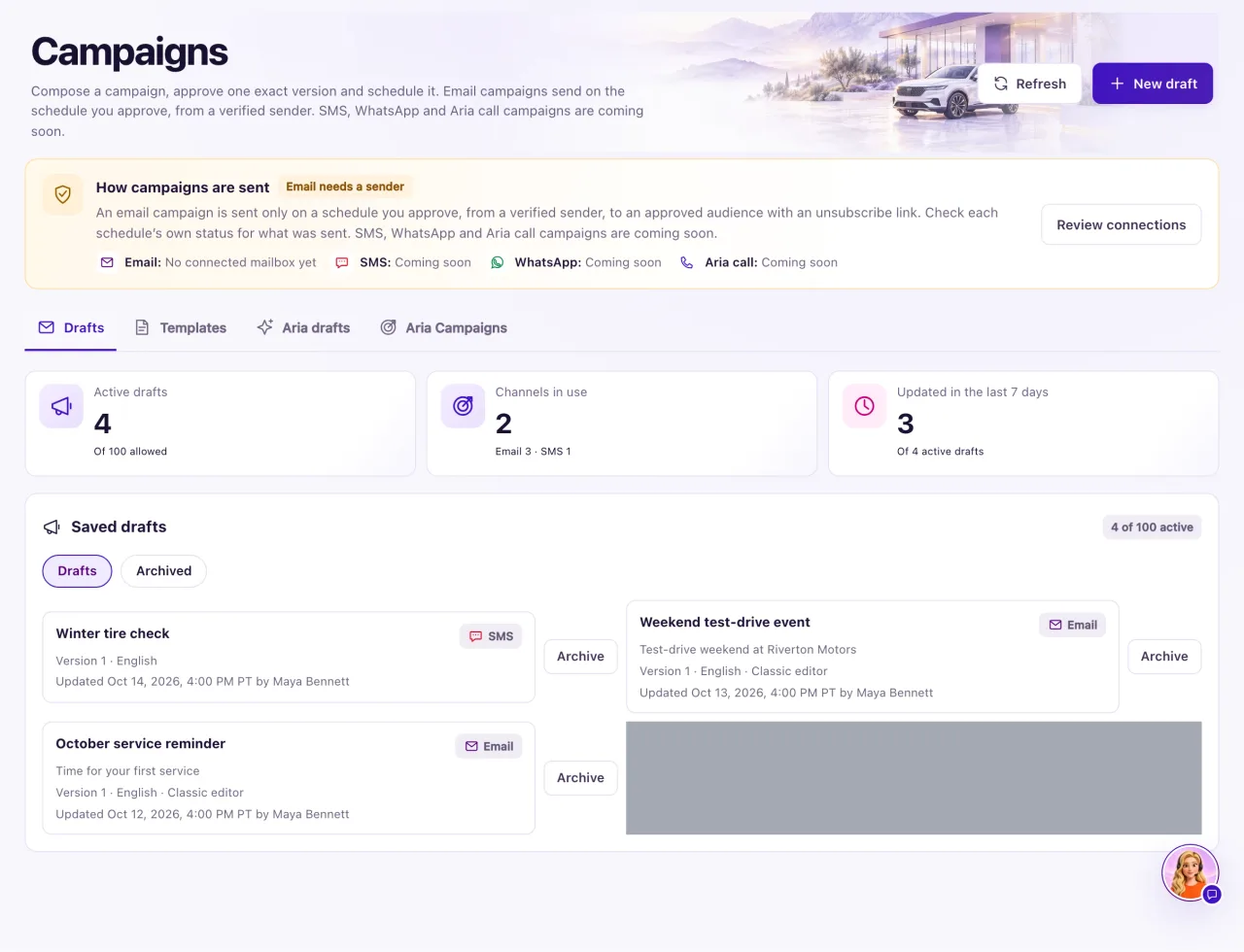
Campaign email always comes from your dealership's own address: a verified sending domain (for example marketing@yourdealership.com) or a connected Gmail or Microsoft 365 mailbox. QualiFlow never sends campaign email from its own address.
Owners can do everything. A Staff member sees Campaigns only if their Owner gave them Campaigns access in Settings → Team & roles, and then can only read drafts for their locations. Staff don't see New campaign, Aria campaigns or the Owner-only email views (Email templates, Email designer, Brand, Categories), and open a draft's email with View in designer.
How to use it
- Open Campaigns and select New campaign.
- In Goal and sender, enter the Draft name (required), choose the Content language and write the Campaign goal for your team.
- Choose the Channel: Email.
- Open From and choose a sender. Your domain lists senders on your verified domain; Connected mailboxes lists your Gmail and Microsoft 365 mailboxes. Only a sender marked Ready can be used.
- If no sender is ready, select Add a sending domain, or connect a mailbox in Settings → Connections.
- Select Save draft. The draft gets Version 1; every later save makes a new version.
- Open Email content and choose Write an email, Design an email or Import HTML, then Open email designer.
- Work through Preview and test, Recipients and approval and Schedule. A step marked Needed still blocks the campaign.
- Select Back to campaigns to return to the list.
What the data means
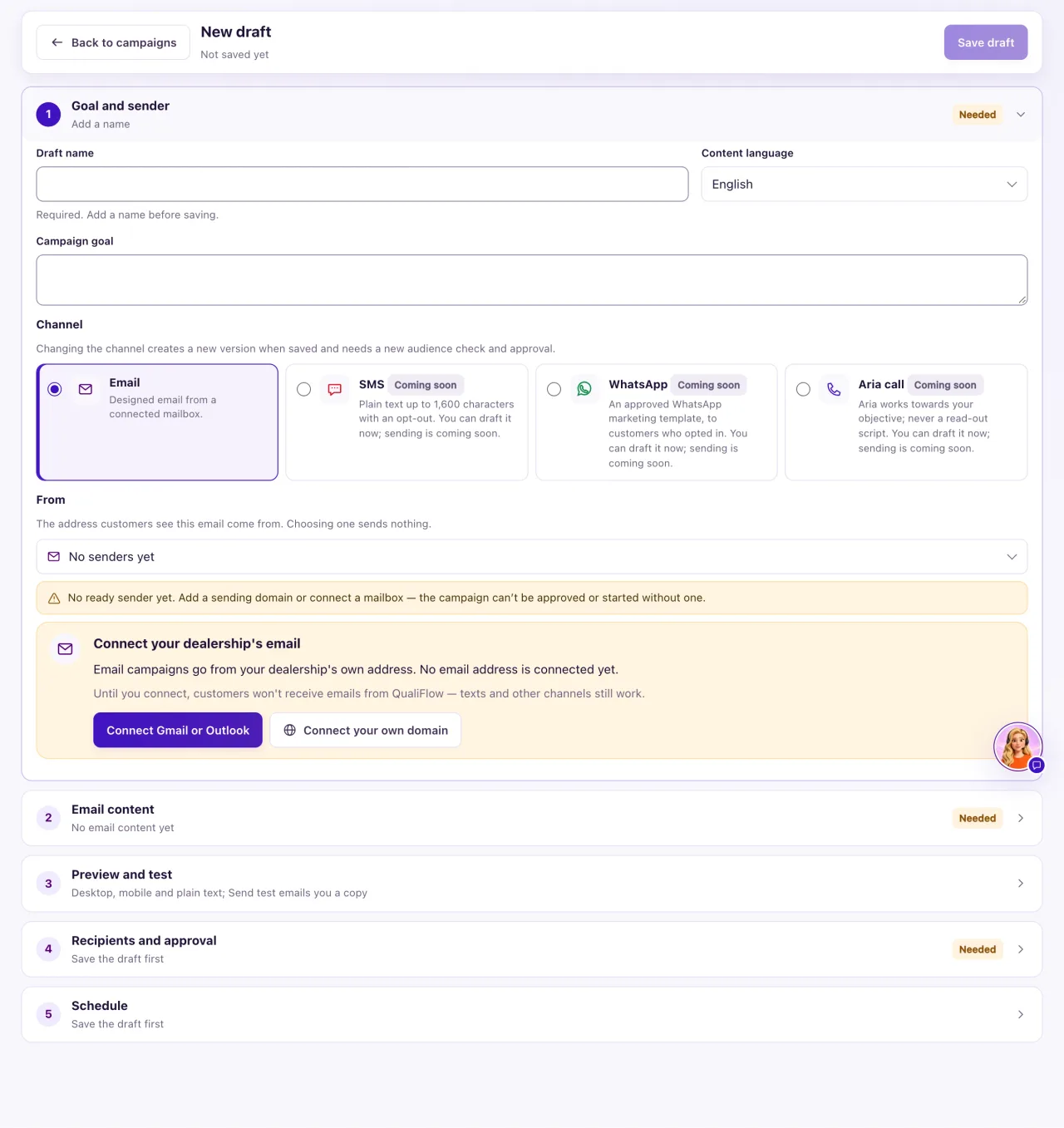
| Card on the Drafts tab | What it shows |
|---|---|
| Active drafts | Drafts that are not archived, out of the 100 allowed |
| Channels in use | How many drafts use each channel, for example "Email 3 · SMS 1" |
| Updated in the last 7 days | Active drafts someone saved this week |
The How campaigns are sent box shows Email ready when at least one sender can send campaigns, or Email needs a sender when none can. Its lines count your verified senders and any that need reconnecting. Review connections opens Settings → Connections.
Each row in Saved drafts shows the name and channel, the subject, the version, the language and how the email was made (written, designed or imported HTML), and who saved it last. Use the filters Drafts, Aria Campaigns email (emails written for Aria Campaigns) and Archived. The schedule's status is inside each draft.
Possible issues and fixes
New campaign is greyed out
Symptom: You can't select New campaign.
Why: The workspace has 100 active drafts, the limit.
Fix: Select Archive on a draft you no longer need, then Archive draft. Its history is kept and you can restore it from Archived while a slot is free.
How to check: Active drafts shows fewer than 100 and New campaign works again.
The From address says it can't send campaigns
Symptom: The sender shows Not ready, or "This address is set up for service email only. Choose a Marketing or Marketing and service sender for campaigns."
Why: The domain isn't verified yet, the mailbox needs reconnecting, or the sender is set up for service email only. A custom (IMAP/SMTP) mailbox can't send campaigns.
Fix: In Settings → Connections, finish verifying your email domain, add a sender marked Marketing or Marketing and service, or connect a Gmail or Microsoft 365 mailbox. Then choose it under From and save.
How to check: The From address shows Ready and the Goal and sender step no longer says Needed.
The approval ended after I changed the sender
Symptom: The campaign was approved, and after you saved a new From address it needs approval again.
Why: Approval covers the exact content, sender and audience. Any saved change ends it.
Fix: Open Recipients and approval, check the audience again and approve again.
How to check: Approval history shows a new approval for the current version.
